When you’re applying for a visa, one of the most nerve-wracking steps can be the photo verification process. You might wonder, “Why do they need my photo? How does it work? Can I mess it up?” Relax—this guide will walk you through the process in plain English, explain what happens behind the scenes, and give you tips to breeze through it.
Understanding Photo Verification at Visa Centers
Photo verification is one of the most crucial steps in the visa application process because it directly links your identity to your travel documents. When you submit a visa application, the authorities need to be absolutely certain that the person applying is the same person who will be entering the country. This process goes far beyond simply taking a picture; it involves sophisticated biometric technology that scans and analyzes your facial features. The system examines specific markers like the distance between your eyes, the shape of your jawline, and the contours of your nose to ensure consistency with the photo you submitted online. In essence, your face becomes a digital key that helps secure your travel records and prevents impersonation.
Unlike regular photo checks, visa photo verification combines technology and human expertise. While facial recognition software can perform rapid comparisons across databases containing millions of images, trained visa officers manually verify photos to catch any anomalies that technology might miss. For instance, software might flag a minor shadow on your face or unusual lighting, which an officer can easily assess and approve. This combination ensures accuracy while reducing the likelihood of wrongful rejection, making the process both reliable and fair for all applicants.
Photo verification also plays a major role in combating identity fraud and enhancing international security. Fake documents and stolen identities are significant challenges in global travel, and linking a live photograph to the one uploaded in your application adds an additional layer of protection. In some cases, authorities even cross-check your image against criminal databases or previous visa applications to ensure that no fraudulent attempts are being made. This proactive approach helps prevent potential security threats before they even reach the airport, safeguarding both travelers and host countries.
Additionally, photo verification contributes to a smoother travel experience for applicants. Once your photo is verified and matched successfully, your biometric data—often linked to fingerprints or iris scans—is stored securely and can be used for future travel, reducing repetitive checks at borders. This integration of technology and security means that while the verification process may seem rigorous, it ultimately works to save time, improve accuracy, and make international travel safer for everyone. Understanding this process helps applicants prepare properly and avoid common mistakes, ensuring their visa application moves forward without unnecessary delays.
Why Photo Verification Is Important
Photo verification might seem like a simple formality, but it plays a crucial role in ensuring your visa application is secure, accurate, and efficient. Skipping over the importance of a proper photo can lead to delays, rejections, or even potential security concerns. Here’s a detailed look at why this step is so vital:
- Identity Confirmation – At its core, photo verification ensures that the person submitting the visa application is the same person showing up at the visa center or border. This process reduces the risk of mistaken identity, making sure your face matches your passport or ID. It’s not just about recognition; it’s about confirming your legal identity with precision.
- Fraud Prevention – With international travel, the risk of fraudulent applications is high. Fake documents, altered photos, or impersonation attempts are significant concerns. Photo verification acts as a digital guard, preventing unauthorized individuals from exploiting the system. By matching your live photo to the one submitted online, authorities can catch suspicious discrepancies and stop potential fraud before it escalates.
- Biometric Linking – Modern visa processes increasingly rely on biometric technology. Your photo is often linked with other biometric data like fingerprints or iris scans. This creates a secure, tamper-proof record that connects your identity to your visa, making future travel smoother and safer. Biometric linking ensures your data is consistent across all international travel systems.
- Accuracy and Efficiency – A proper photo reduces errors in the visa processing system. Misaligned or unclear images can delay approvals, requiring additional verification steps. By providing a high-quality photo upfront, you help the system work efficiently, minimizing unnecessary back-and-forth between you and the visa center.
- Enhanced Security Measures – Photo verification is part of a larger network of security protocols that protect both travelers and host countries. It helps authorities cross-check identities against international databases and watchlists, reducing the risk of security breaches. This ensures that only legitimate applicants gain entry, enhancing overall border safety.
- Consistency Across Travel Records – Your verified photo becomes part of a permanent record linked to your travel history. This ensures consistency whenever you apply for visas, enter airports, or cross international borders. A single, accurate photo prevents mismatches and simplifies future applications.
- Legal and Regulatory Compliance – Many countries have strict rules requiring verified photos for visa issuance. Compliance with these standards protects both the applicant and the issuing country, ensuring the process adheres to international laws and regulations.
The Science Behind Photo Verification
| Aspect | Purpose | How It Works | Key Features | Benefits |
| Facial Recognition Technology | To automatically verify applicant identity | Compares live photo with uploaded application photo using AI algorithms | Measures facial landmarks like distance between eyes, jawline shape, nose contours, skin texture, and tone | Fast, accurate, reduces human error, prevents identity fraud |
| Manual Verification by Staff | To ensure accuracy beyond automated checks | Visa officers manually examine the photo for clarity, visibility, and authenticity | Checks for blurriness, proper lighting, facial visibility, and absence of filters or alterations | Catches anomalies AI may miss, ensures fairness, maintains human oversight |
| Biometric Matching | To link facial data with other security identifiers | Connects photo to fingerprints, iris scans, and digital travel records | Uses multi-layered biometric systems for cross-verification | Strengthens identity verification, prevents fraudulent entries, ensures seamless travel |
| Error Detection Systems | To flag discrepancies or anomalies | Software and staff review mismatches between live and uploaded photos | Detects inconsistencies due to facial changes, lighting, or technical issues | Reduces false approvals, improves security and accuracy |
| Security and Compliance | To maintain adherence to international visa standards | Ensures the verification process meets legal, regulatory, and security requirements | Monitors adherence to photo specifications, privacy regulations, and biometric protocols | Protects traveler information, ensures compliance, enhances global security |
Steps in Photo Verification at a Visa Center
The photo verification process begins the moment you upload your image while filling out your visa application. This step is more than just clicking a “submit” button—it requires adherence to specific standards such as file format, size, and background color. Some countries even mandate that the photo must have been taken within the last six months to reflect your current appearance accurately. A correct submission here lays the foundation for a smooth verification process and minimizes the risk of delays later. Applicants are advised to carefully review the official guidelines, as even minor mistakes like incorrect dimensions or an outdated photo can result in repeated submissions and added frustration.
Once your photo is submitted, the system performs a preliminary software check. Advanced algorithms assess whether your image meets basic technical standards, including proper dimensions, file size, lighting, and facial visibility. If the software detects any issues, such as shadows, blurriness, or misalignment, it will prompt you to re-upload a new photo. This early automated check is crucial because it prevents potential problems at the visa center itself, saving both time and effort. Essentially, it acts as the first line of quality control, catching errors before they escalate into larger verification challenges.
When you arrive at the visa center, the live verification stage begins. Upon presenting your appointment confirmation, a staff member guides you to the photo verification booth. Here, a high-resolution camera captures your live image, which is immediately compared with the photo you uploaded online. Minor differences, such as slight changes in hairstyle or facial expressions, are usually acceptable, but the system and staff ensure that key identifiers match accurately. This step is critical because it combines the speed of technology with human judgment, balancing efficiency with accuracy.
The final verification is a quick yet vital step. If the automated system and visa officer confirm a match, your photo is approved, completing the verification process. In cases where discrepancies are detected, you may be asked to retake the photo on the spot. The entire live verification usually takes less than five minutes if all requirements are met, but the accuracy it ensures is invaluable. By following each step carefully—from uploading the correct photo to the final approval—you not only meet regulatory standards but also streamline your entire visa application experience, avoiding unnecessary delays or complications.
Requirements for a Perfect Visa Photo
Getting your visa photo right is essential because even minor mistakes can cause delays or rejections. Here’s a detailed checklist of everything you need to ensure your photo meets visa standards:
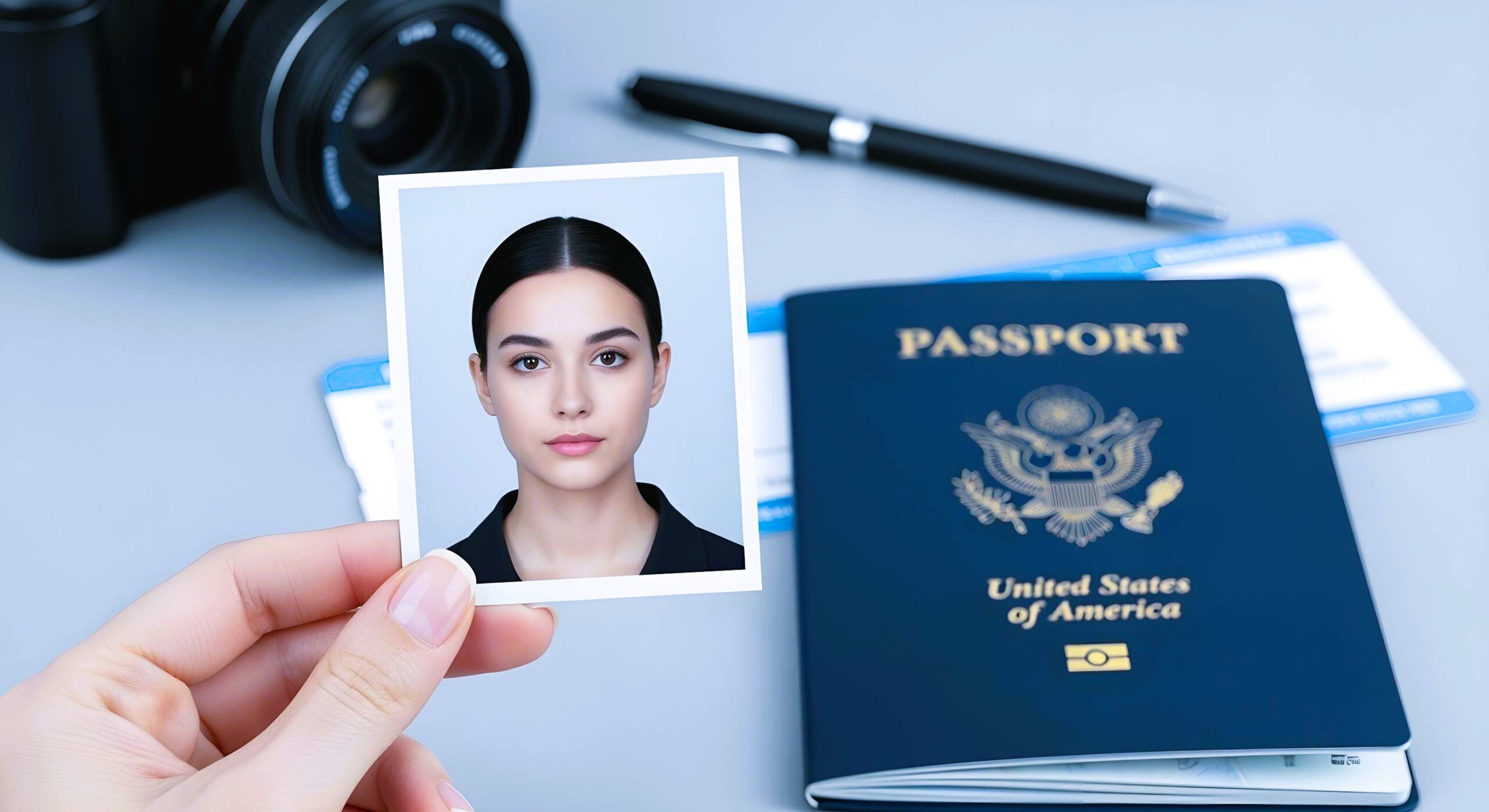
- Background – The background should be plain, light-colored, and free of patterns or objects. A white or off-white background is typically preferred to make your facial features stand out clearly. Avoid shadows or clutter behind you, as they can interfere with automated verification systems.
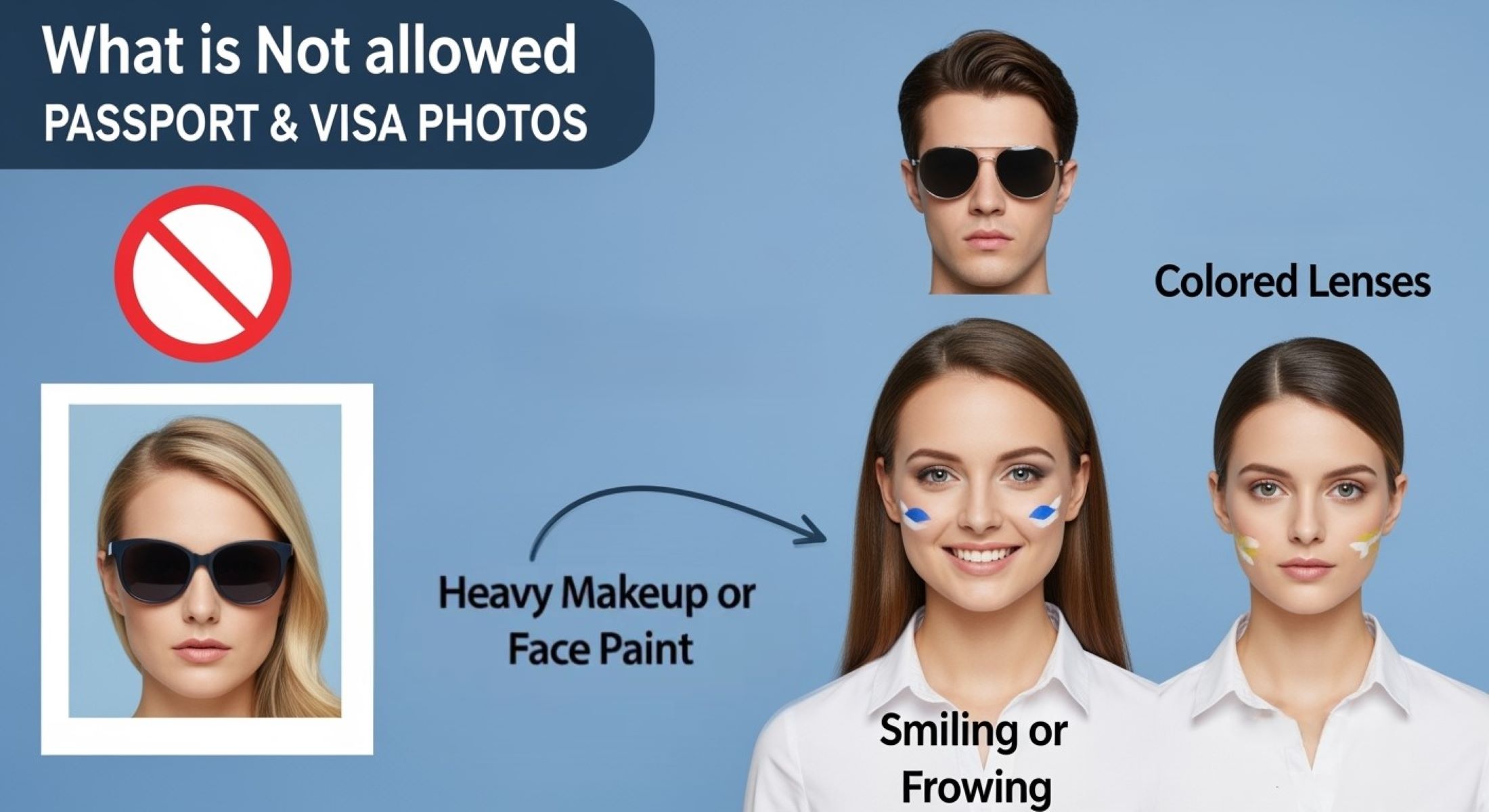
- Facial Expression – Maintain a neutral expression with your mouth closed and eyes open. Smiling, frowning, or exaggerated expressions can distort key facial landmarks, making verification more difficult. A calm, neutral look ensures your face can be easily recognized and matched accurately.
- Accessories – Remove hats, sunglasses, scarves, or face masks. Accessories can obscure facial features, causing the system or staff to reject the photo. Glasses are usually allowed only if they don’t reflect light and your eyes remain fully visible.
- Lighting – Ensure the photo is evenly lit without shadows, reflections, or overexposure. Proper lighting prevents distortion and helps both software and human verifiers see your features clearly. Natural daylight or soft artificial lighting often works best.
- Resolution – Use a high-resolution photo that clearly shows all facial features. Low-resolution or blurry photos can be flagged by software or rejected by officers at the visa center. Clear images make verification fast and accurate.
- Face Position – Your full face should be visible, centered, and directly facing the camera. Avoid tilting your head, leaning forward or backward, or turning to the side. Proper positioning ensures the software can measure facial landmarks accurately.
- Recent Photo – Make sure the photo reflects your current appearance. Many countries require photos taken within the last six months to account for changes like hairstyle, facial hair, or weight. Using an old photo may lead to mismatches during live verification.
- Clothing – Wear simple clothing that contrasts with the background. Avoid busy patterns or colors that blend into the background, as this can reduce the photo’s clarity. Professional or plain attire is recommended.
Common Mistakes in Photo Verification
| Common Mistake | Description | Why It Matters | Potential Consequences | Tips to Avoid |
| Uploading Old Photos | Using a photo that does not reflect your current appearance | Facial recognition may fail due to changes in hairstyle, weight, or facial features | Delays in processing, possible rejection, or requirement to retake photo | Always use a recent photo taken within the last 6 months |
| Wearing Dark Glasses or Hats | Accessories that cover your face partially | Obscures facial features, making AI and human verification difficult | Photo may be rejected; additional verification needed | Remove glasses, hats, or other headwear; use prescription glasses only if necessary and glare-free |
| Shadows or Uneven Lighting | Poor lighting causing parts of the face to be in shadow | Reduces clarity of facial features, making automated checks less accurate | May trigger software errors or manual review delays | Use even lighting, avoid direct sunlight or strong overhead lights |
| Cropping or Editing Your Face | Altering the image digitally or zooming too much | Artificial alterations can distort key facial landmarks | Photo may be flagged or rejected | Submit the original, unedited photo in the required size and format |
| Excessive Smiling or Frowning | Non-neutral expressions | Facial recognition relies on consistent expressions for accuracy | System may fail to match the photo, leading to re-verification | Keep a neutral expression with eyes open and mouth closed |
Biometric Linking Explained
Biometric linking is a sophisticated process that connects your visa photo with other unique physical traits to ensure secure identity verification. Most modern visa centers use this technology to create a multi-layered identification system that is far more reliable than traditional document checks. By linking your facial image to biometric identifiers such as fingerprints and iris patterns, authorities can confirm with a high degree of certainty that the applicant is indeed the person traveling. This integration reduces the risk of identity fraud and helps maintain secure borders, making international travel safer for everyone involved.
Biometric data includes distinctive physical characteristics that are difficult or impossible to replicate. Your face, fingerprints, and iris patterns each have unique markers that AI and security systems can analyze. For instance, the patterns in your fingerprints or the intricate details in your iris cannot be easily forged or duplicated. By combining this data with your uploaded photo, visa authorities create a digital “signature” that links all your personal information together. This ensures that only legitimate applicants are approved, and it provides an added layer of security in the visa process.
The process of biometric linking also enhances the efficiency of visa checks and immigration procedures. Once your biometric data is recorded and linked to your photo, it can be used for future travel, reducing repetitive verification steps. For example, automated immigration kiosks or e-gates can quickly match your live scan with stored biometric records, allowing faster and smoother entry into the country. This streamlined approach benefits both travelers and authorities, saving time while maintaining a high level of security.
Finally, biometric linking serves as a preventive measure against identity theft and illegal travel attempts. By tying your unique physical traits directly to your visa application, authorities can easily detect discrepancies if someone tries to use a fake or stolen identity. Think of it as a digital handshake between you and immigration systems: your biometric profile confirms that you are exactly who you claim to be. This level of security not only protects borders but also ensures that legitimate travelers experience fewer delays and complications during their journey.